

Best Productivity Apps for Students: 10 Tools to Study Smarter
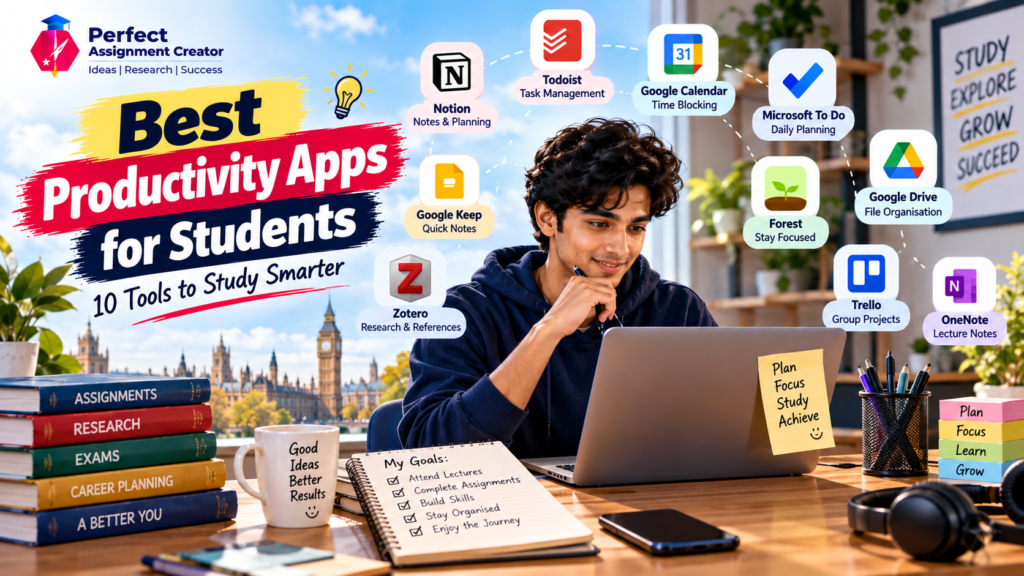
University life can quickly become overwhelming.
One day you’re attending lectures. The next, you have an assignment deadline, a group project, five journal articles to read and an exam coming up.
For Indian students preparing to study abroad—or already studying in the UK, Australia, Canada, Malaysia and other countries—there is often another layer to manage: cooking, shopping, commuting, part-time work and everyday responsibilities.
This is where the right productivity apps can help.
You don’t need ten different apps running on your phone. In fact, using too many tools can make life more complicated.
The goal is to find a small set of productivity apps that solve specific problems and fit naturally into your routine.
What Can Productivity Apps Actually Help With?
Think of your student life as five areas:
          STUDENT LIFE
               │
     ┌─────────┼─────────┐
     ↓         ↓         ↓
  Deadlines  Focus     Notes
     ↓         ↓         ↓
  Planning  Study     Research
            ↓
         Better Routine
The right apps can help you organise these areas without replacing your own study habits.
1. Notion – For Your All-in-One Student Workspace
Best for: Notes, planning, assignments and projects
Notion is useful when you want to keep several parts of student life in one workspace. Its education offering includes tools and templates for schoolwork, student planners, projects, habits, job applications and calendars.
You could create separate pages for:
- Each university module
- Assignment deadlines
- Lecture notes
- Dissertation research
- Reading lists
- Personal goals
- Job applications
Best use
One workspace → multiple areas of student life
This can be particularly useful when studying abroad because university work, career planning and personal organisation can otherwise end up scattered across different apps.
2. Todoist – For Managing Assignments and Deadlines
Best for: To-do lists and task management
Todoist is designed around tasks, projects and deadlines. Its student guide specifically recommends using projects for individual classes and adding exams, assignments, readings and lecture tasks.
For example:
MSc Marketing
→ Complete literature review
→ Read Article 1
→ Draft introduction
→ Check references
→ Submit assignment
Instead of keeping a huge mental checklist, you can turn your workload into smaller actions.
Great for students who say:
“I know I have a lot to do, but I don’t know where to start.”
3. Google Calendar – For Time Blocking
Best for: Scheduling lectures, study sessions and deadlines
Google Calendar can handle both events and tasks, allowing you to place tasks directly into your schedule.
You can create blocks such as:
| Time | Activity |
|---|---|
| 9:00–11:00 | Lecture |
| 11:30–1:00 | Assignment |
| 2:00–3:00 | Reading |
| 4:00–5:00 | Part-time work |
| 7:00–8:00 | Gym |
For eligible work or school accounts, Google Calendar also has Focus time, which can reduce interruptions by muting Chat notifications and automatically declining meetings.
Best productivity apps strategy:
Don’t just make a to-do list.
Decide when the task will actually happen.
4. Microsoft To Do – For Simple Daily Planning
Best for: Students who want something straightforward
Microsoft To Do provides a My Day view, lists, due dates, reminders and priorities. It also lets you break larger tasks into smaller steps and add notes and tags.
For example:
Assignment – 2,000 words
☐ Research topic
☐ Find 5 journal articles
☐ Create outline
☐ Write introduction
☐ Complete analysis
☐ Edit
☐ Submit
It’s especially useful when you don’t want an elaborate productivity system.
5. Google Keep – For Quick Notes and Ideas
Best for: Capturing information quickly
Sometimes your best ideas arrive when you’re walking to class or travelling on a bus.
Google Keep lets you create notes, lists, drawings, labels and reminders, while notes can also be shared with others.
You could use it for:
- Quick lecture ideas
- Shopping lists
- Assignment ideas
- Questions to ask your lecturer
- Things to research later
- Travel or packing lists
It is less about managing your entire semester and more about capturing information before you forget it.
6. Zotero – For Dissertation and Research Work
Best for: Academic research and references
For students writing essays, dissertations or research papers, reference management can save a huge amount of time.
Zotero is a free reference manager that helps you collect, organise, annotate, cite and share research. It can also create bibliographies and works with tools such as Word and Google Docs.
You can organise research into collections such as:
Dissertation
│
├── Literature Review
├── Methodology
├── Theory
├── Findings
└── Key Papers
For postgraduate students, this can become one of the most valuable productivity apps in their toolkit.
7. Forest – For Staying Away From Your Phone
Best for: Focus and reducing distractions
Sometimes the problem isn’t poor planning.
It’s Instagram. YouTube. WhatsApp. Notifications. One quick check becomes 30 minutes.
Forest uses a focus timer where a virtual tree grows while you stay focused; leaving the session early causes the tree to wither.
It turns:
“I should study for an hour.”
into:
“Let’s complete one focused session.”
That mental shift can make starting easier.
8. Google Drive – For Keeping University Files Organised
Best for: Cloud storage and accessing documents
A simple folder system can prevent a lot of frustration.
Try:
UNIVERSITY
│
├── Module 1
│   ├── Lectures
│   ├── Readings
│   └── Assignments
│
├── Module 2
│   ├── Lectures
│   └── Projects
│
└── Dissertation
    ├── Sources
    ├── Data
    └── Drafts
The important thing isn’t the exact folder structure.
It’s consistency.
When studying abroad, being able to access your files across devices can be especially useful.
9. Trello – For Group Projects
Best for: Teamwork and project tracking
Group assignments can become messy when everyone is working on different parts.
A visual board can make responsibilities clearer:
TO DO
   ↓
IN PROGRESS
   ↓
REVIEW
   ↓
DONE ✅
You can use columns for different stages and assign work to different group members.
This can be particularly helpful for presentations, group research and business projects.
10. OneNote – For Detailed Lecture Notes
Best for: Structured academic notes
Students who prefer traditional notebook-style organisation may like OneNote.
You can organise information by:
Notebook → Section → Page
For example:
Business Analytics
→ Week 1
→ Week 2
→ Statistical Methods
→ Exam Preparation
This is useful when your course involves lots of lecture material that you need to revisit later.
Which Productivity Apps Should You Actually Use?
You don’t need all ten.
Choose according to your biggest problem.
| Your problem | Useful app |
|---|---|
| Too many deadlines | Todoist |
| Poor scheduling | Google Calendar |
| Everything is scattered | Notion |
| Need simple daily lists | Microsoft To Do |
| Forgetting ideas | Google Keep |
| Dissertation references | Zotero |
| Phone distractions | Forest |
| File organisation | Google Drive |
| Group projects | Trello |
| Detailed lecture notes | OneNote |
A simple starter combination
For many students, a basic setup could be:
Google Calendar + Todoist + Google Drive + Zotero
Then add another tool only when you identify a genuine need.
Don’t Let Productivity Apps Become Another Procrastination Tool
This is important.
You can spend two hours choosing:
- The perfect app
- The perfect colour system
- The perfect planner
- The perfect template
…and still not complete your assignment.
The purpose of productivity apps is to reduce friction—not create another hobby.
Remember:
Plan → Focus → Work → Review
Not:
Download → Customise → Organise → Download another app
A Simple Student Productivity System
Here’s an easy workflow you can start today:
Sunday
Check your upcoming deadlines.
Monday
Put important tasks into your calendar.
Each morning
Choose your top three priorities.
During study
Use a focus tool such as Forest.
During research
Save useful sources in Zotero.
Every evening
Tick off completed tasks and prepare for tomorrow.
This system is simple enough to maintain during a busy university semester.
Final Thoughts
The best productivity apps aren’t necessarily the ones with the most features.
The best tool is the one you will actually use.
For an international student, organisation can make university life easier because you’re often balancing academic work with independent living, social commitments and sometimes part-time employment.
Start with one or two tools.
Use Google Calendar for time.
Use Todoist or Microsoft To Do for tasks.
Use Notion or OneNote for notes.
Use Zotero for academic research.
Use Forest when your phone keeps stealing your attention.
Then build your system gradually.
An app won’t make you productive by itself. A simple system you consistently follow can.
Features and availability can change, so check the official website of each app for the latest information before choosing a tool.
Find the list from Stanford University here!
Read our previous blog here!